Ultrahuman
/
2025
Ultrahuman Smart Tags: Building an auto-logging layer for behaviour tracking
Smart tags is a revolutionary technology that I helped spearhead and make what it is today
Product Design
/
0 → 1 Core System
Led end-to-end design of a core product primitive. Defined system behaviour, interaction patterns, and cross-surface integration.
/
Challenge
Users kept asking for behaviour logging.
But people don’t log. Not consistently.
So the question wasn’t how do we build logging.
It was:
can logging happen without asking users to log?
/
Approach
This came from a core Ultrahuman belief.
If we already understand your body through biomarkers, we should be able to understand your behaviour too.
Smart Tags was built on that hunch.
Instead of relying on manual input, we aimed to auto-detect behaviours, ask for lightweight confirmation, and only involve the user when necessary.
Not replacing users. Meeting them halfway.
Chapter 1: Auto-detection as the primary entry point
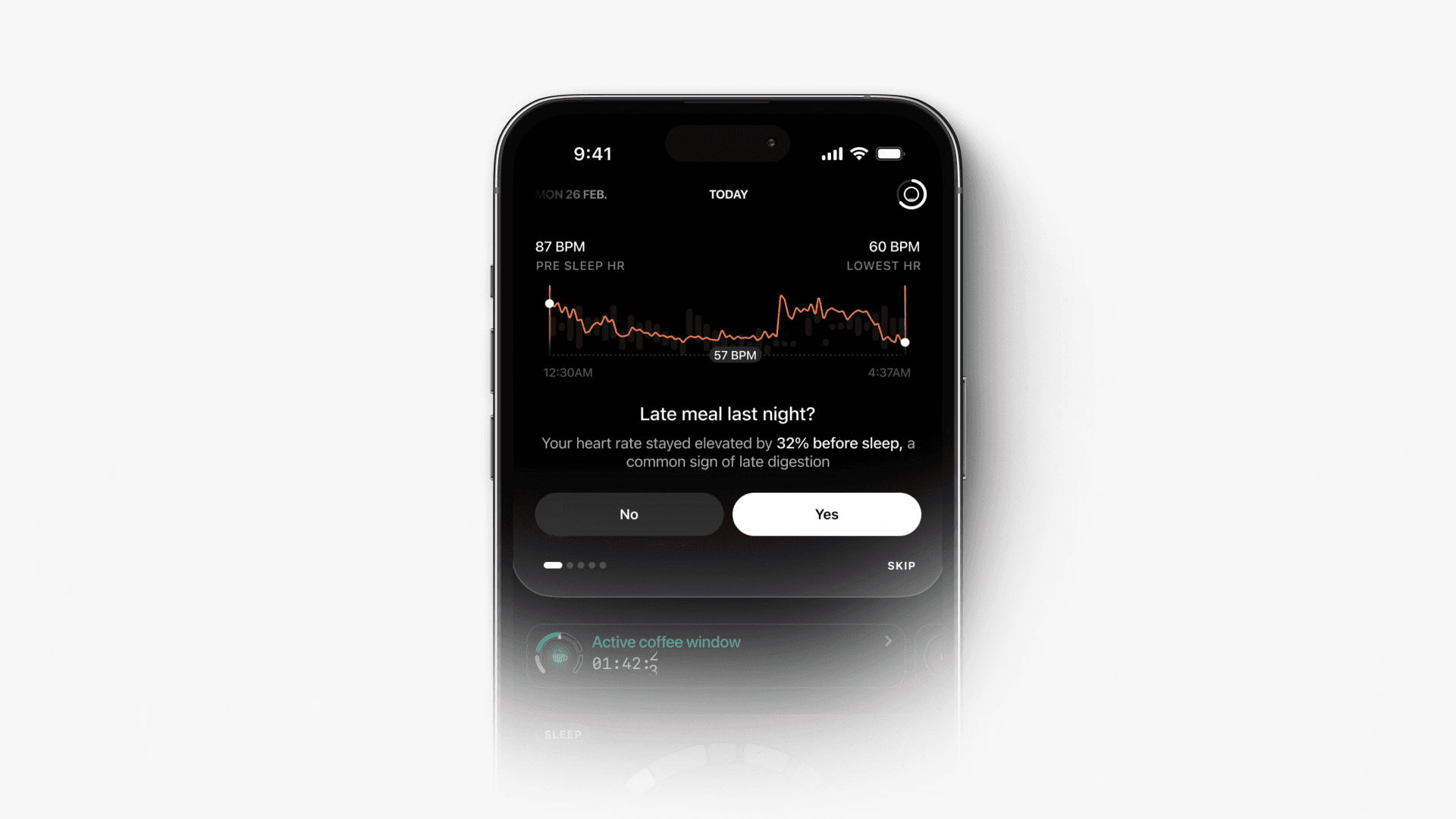
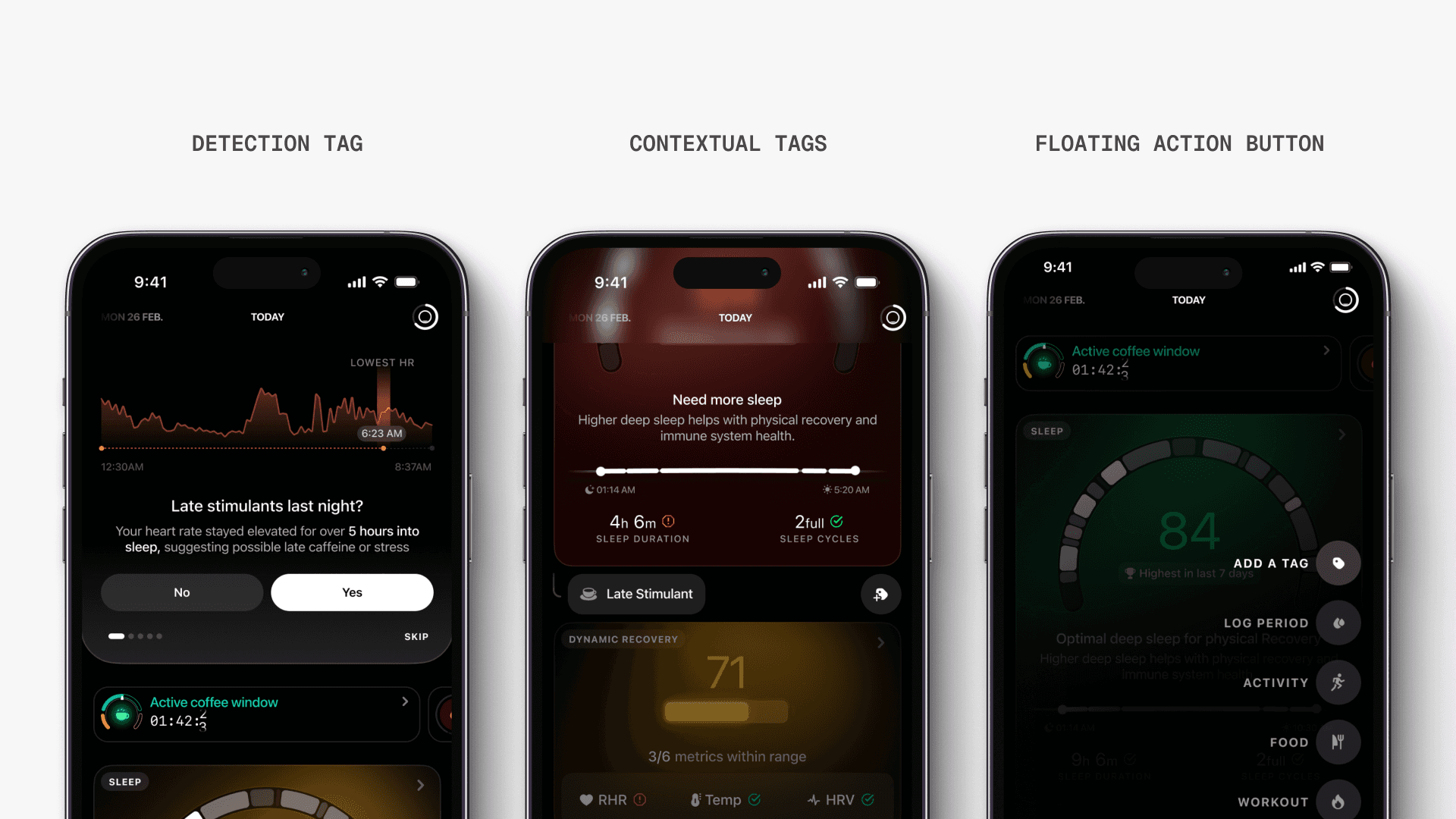
Detecting behaviours from biomarker signals
Instead of asking users to log, we surface likely behaviours.
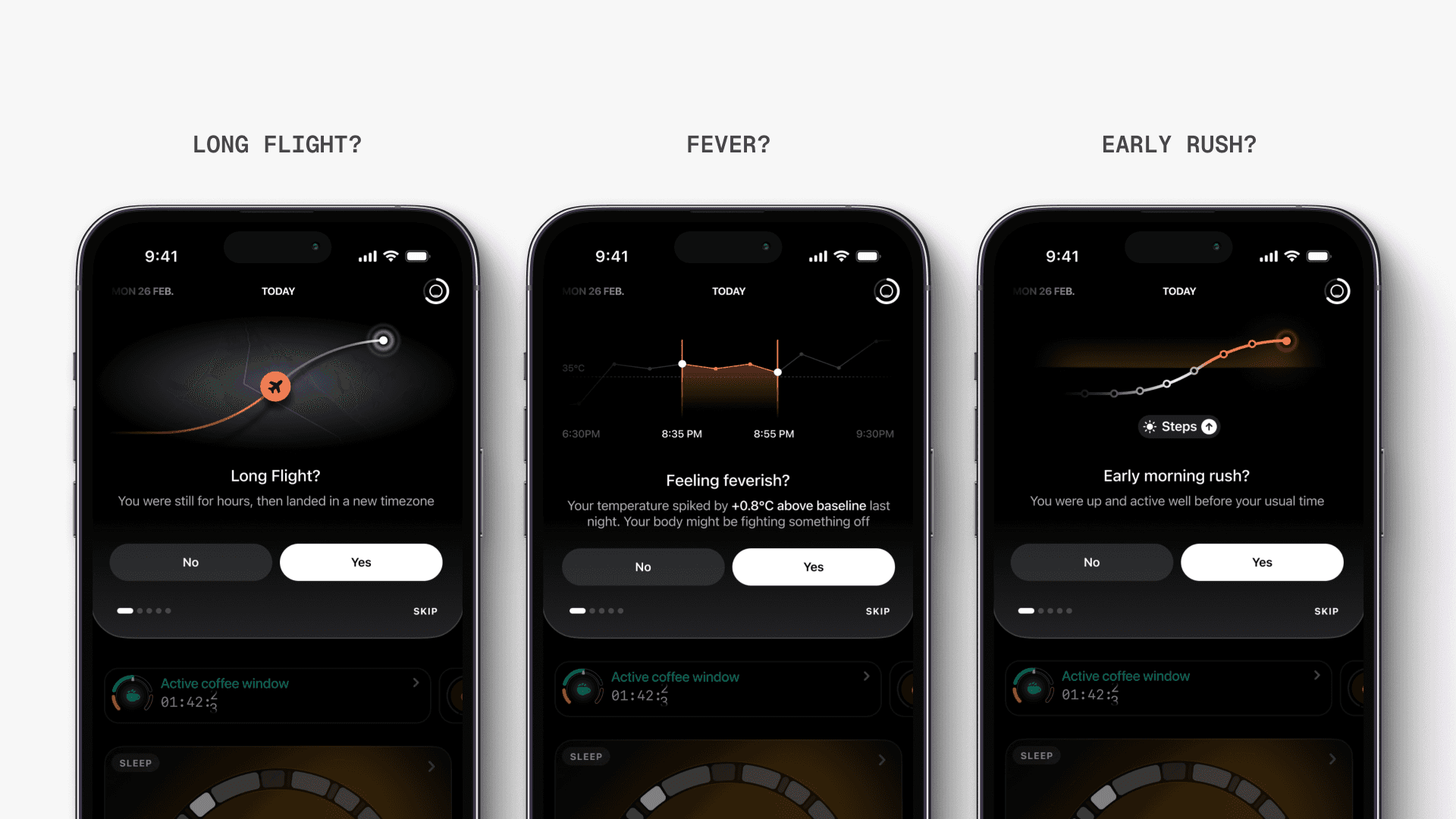
These show up as cards on the homepage. Each card asks a simple question and provides context behind the detection.
Examples include late meals, stimulants, naps, travel, temperature changes, and activity patterns. Each is backed by a visible signal like elevated heart rate or step count.
Users can confirm or reject with a single tap.
Making behaviour contextual to outcomes
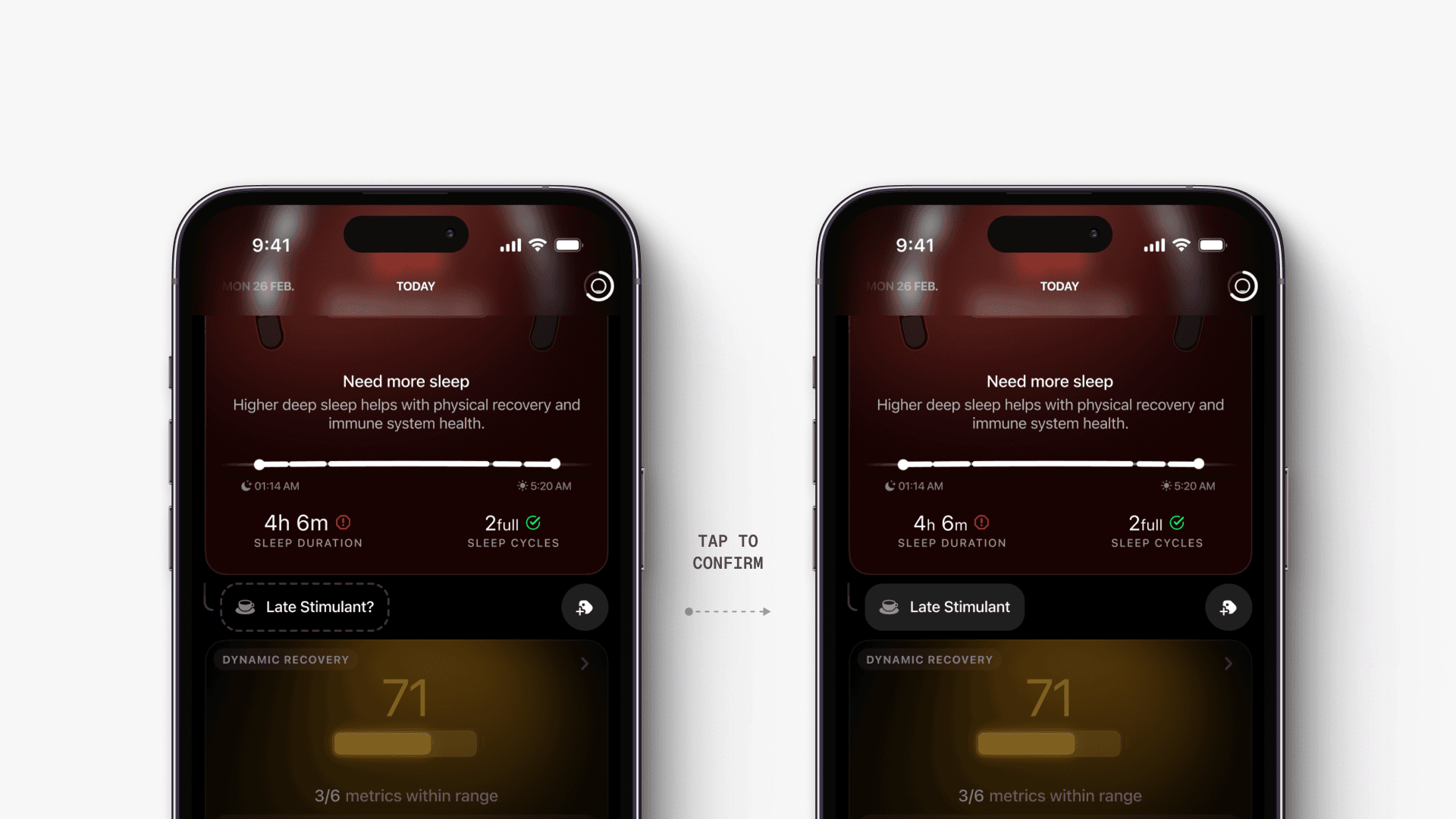
Logging is placed next to where users feel the need for it.
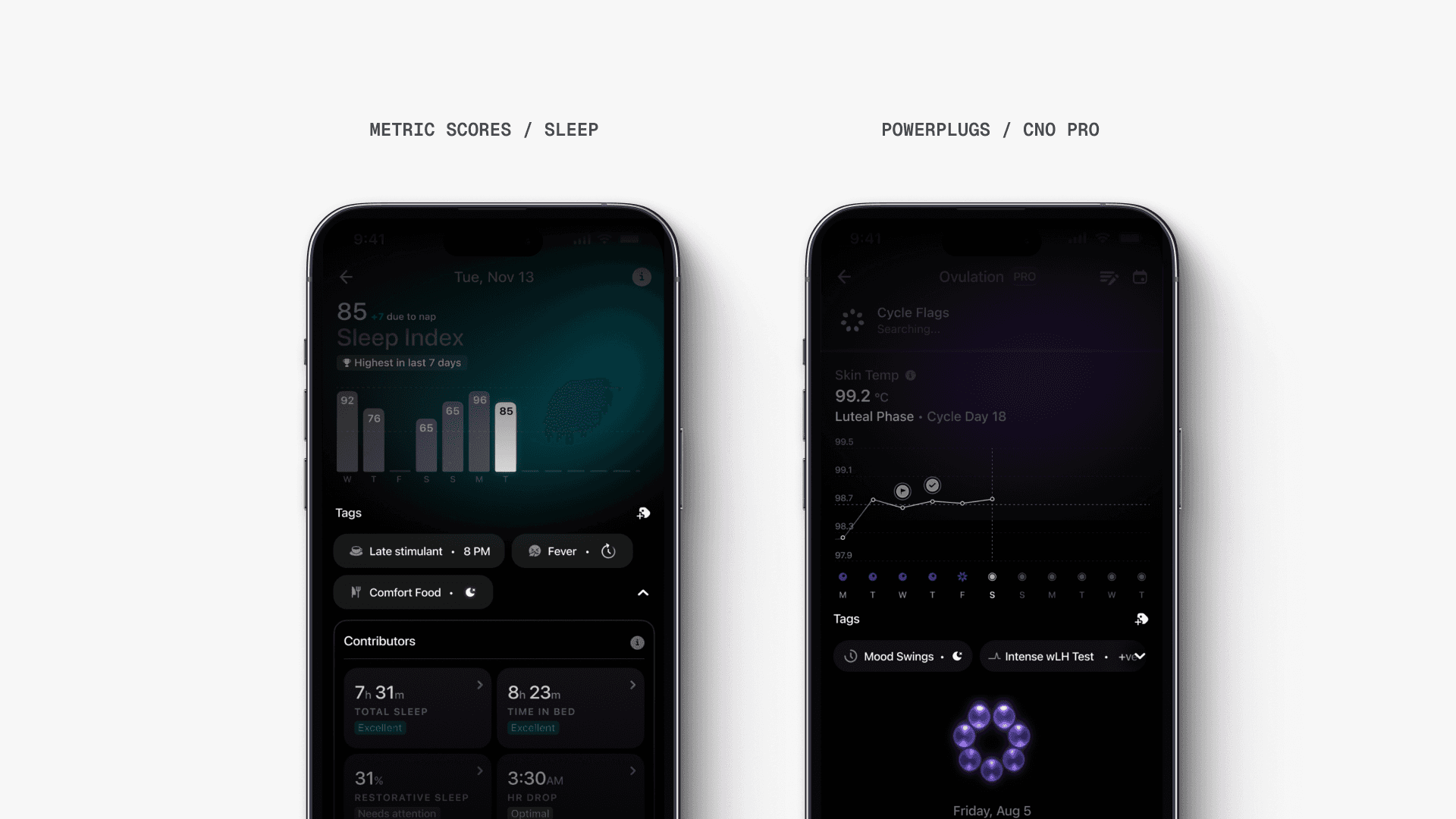
When a score is low, users want to understand why. We added lightweight tagging directly within scorecards, allowing users to log behaviours in context.
This connects cause and effect without requiring navigation.
Making tags visible over time
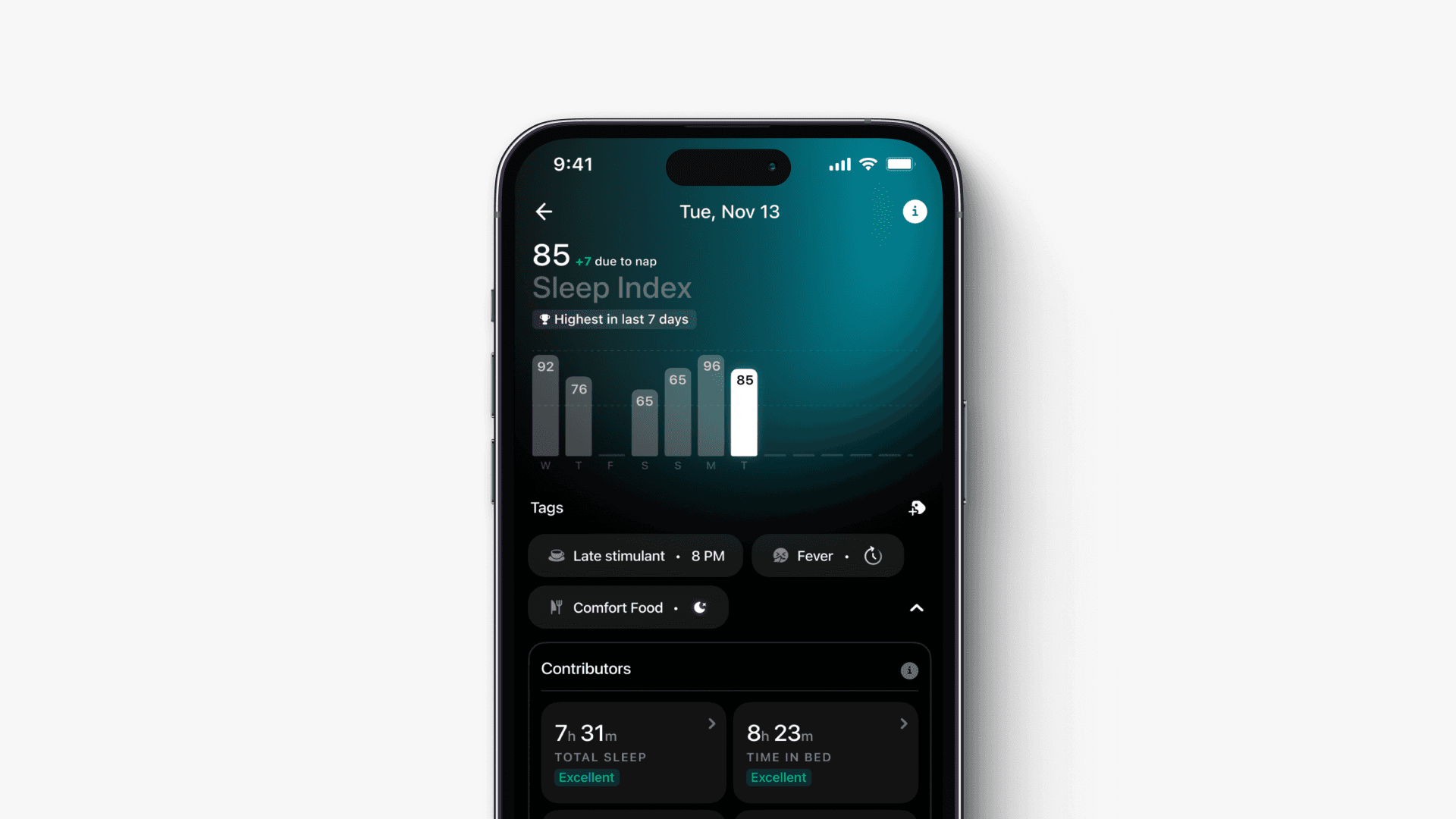
Logged behaviours are not isolated events.
Tags show up across detail pages and timelines, allowing users to see patterns over time alongside their biomarker data.
This turns logging into a longitudinal insight system.
Chapter 2: Designing a flexible tagging system
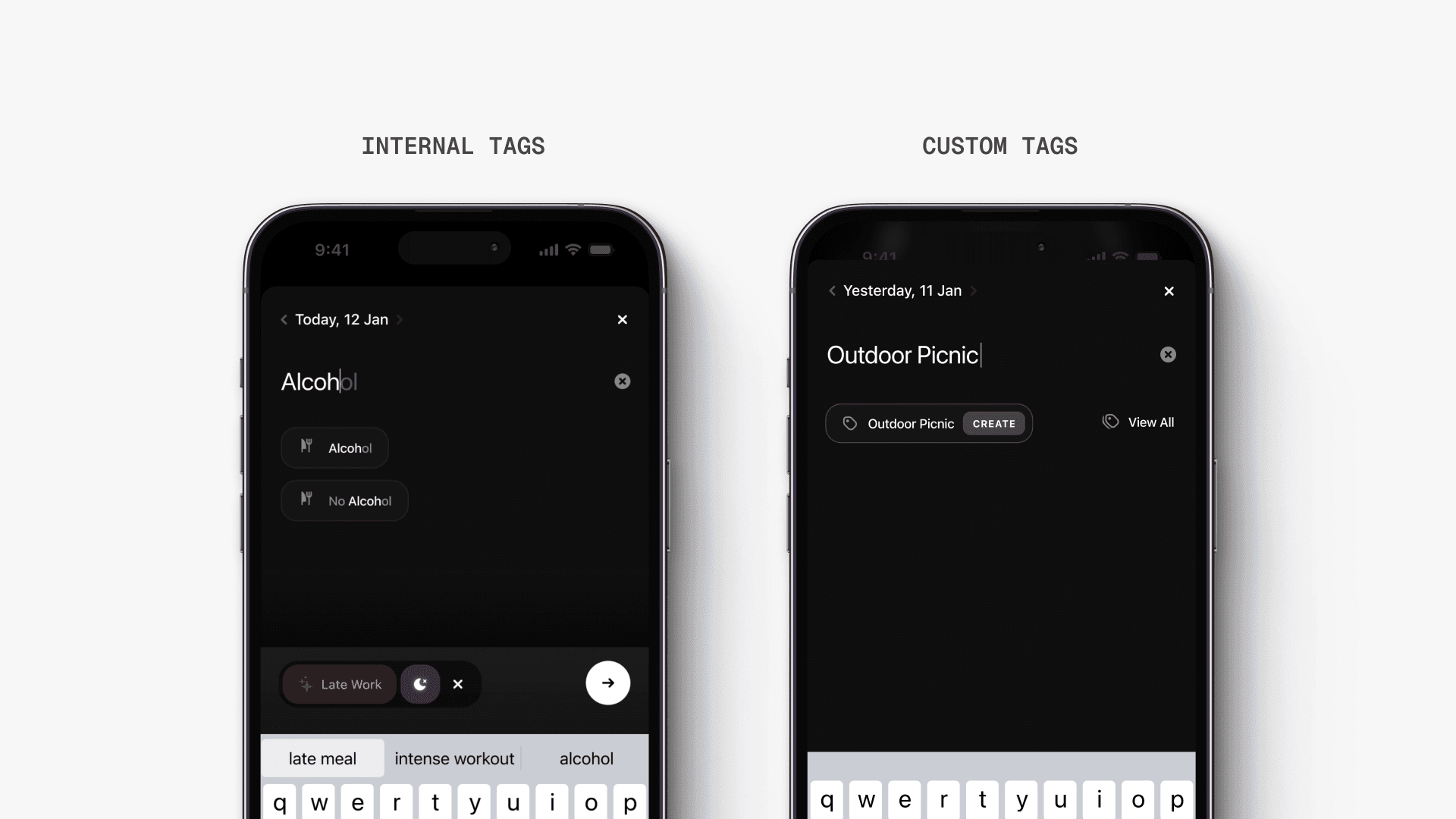
Balancing structured and custom input
We built an exhaustive tag system across categories like food, caffeine, medication, mood, and travel.
Users are encouraged to select from this structured list, ensuring consistency and better insights. At the same time, they can create custom tags when needed.
This balances system control with user freedom.
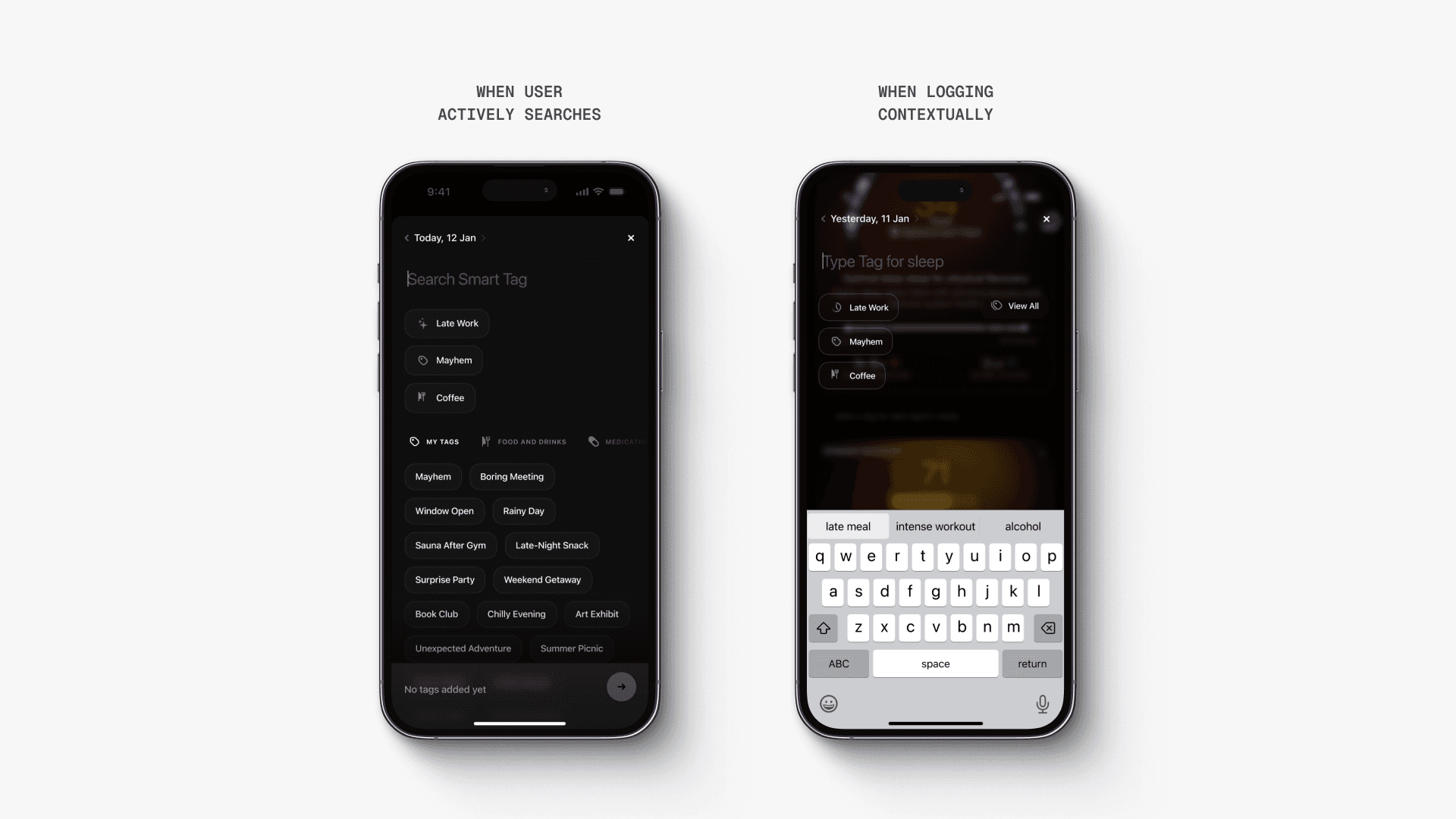
Designing for speed and intent
The tagging interface adapts based on intent.
When users actively search, they see the full tag library. When logging contextually, the system surfaces recent and relevant tags first.
This reduces friction without limiting choice.
Unifying the system across surfaces
Tagging can be triggered from multiple entry points. Homepage, scorecards, floating actions.
The experience adapts slightly based on context, but the core interaction remains consistent.
This keeps the system predictable while flexible.
Chapter 3: Reducing input through smart defaults
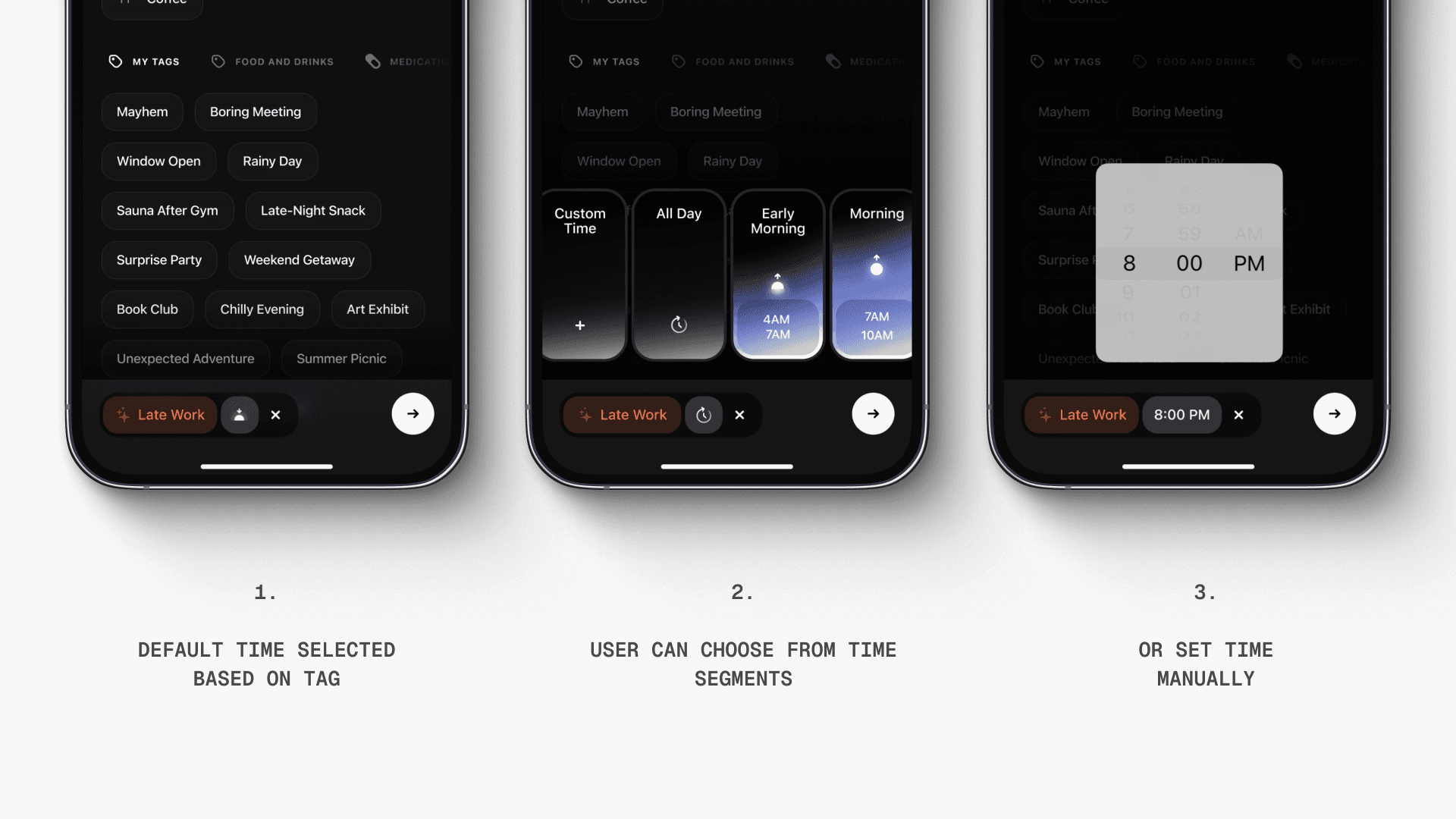
Assigning time intelligently
Every tag carries a time context.
Instead of forcing users to input time manually, we assign intelligent defaults based on the behaviour. Late work defaults to night. Morning activity defaults to early hours.
Users can override at any point.
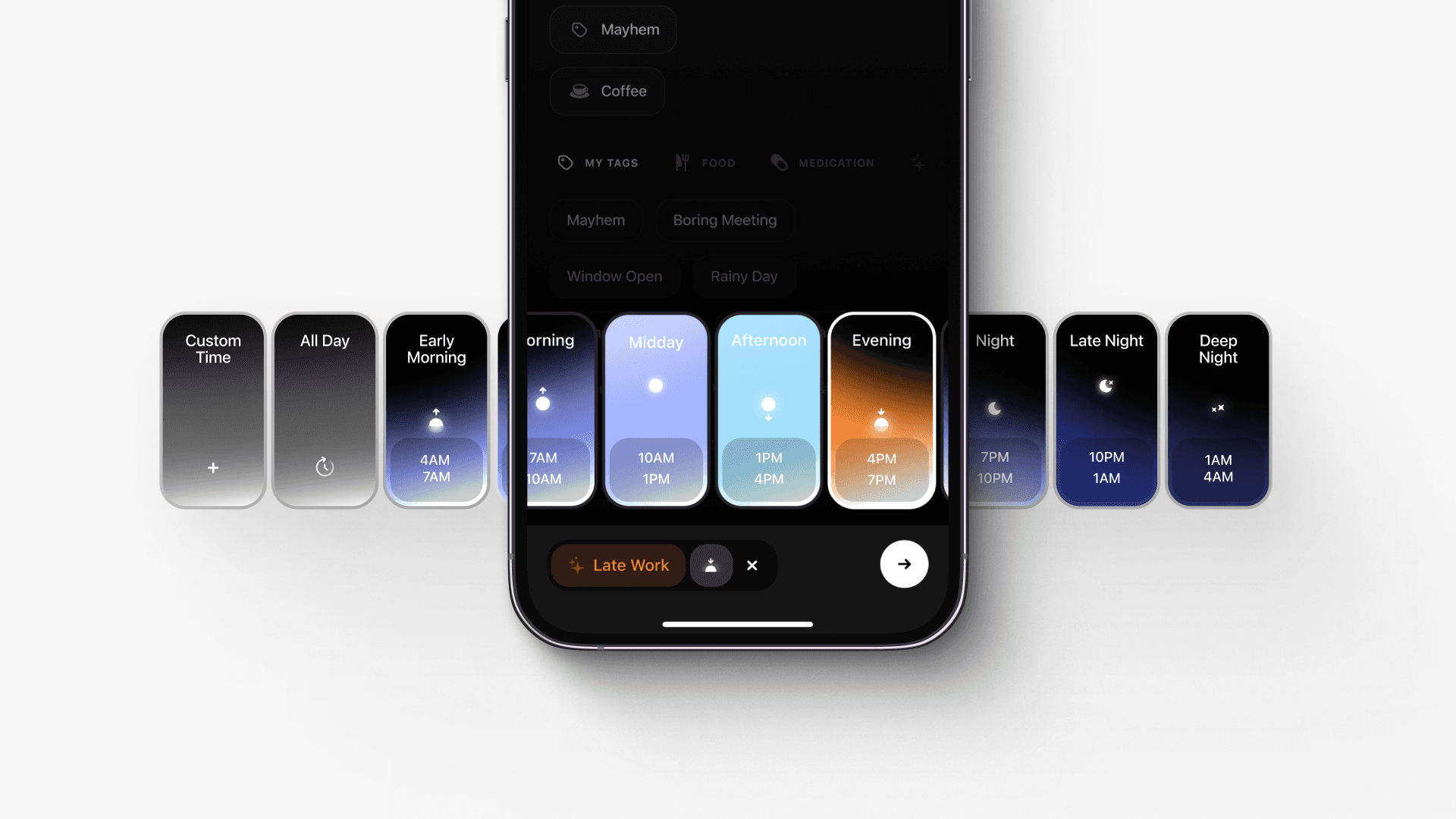
Designing a lightweight time selector
This became one of the most expressive parts of the system.
The day is divided into 3h segments, each represented through a gradient that reflects time progression. Users can quickly select a slot, mark all-day, or choose a custom time.
At the centre, an icon moves with the position of the sun. As users scroll, it traces a smooth, sinusoidal path across the day.
It’s not just functional.
It helps users feel time.
Designed to be quick to use. Easy to override.
Minimising effort, preserving control
The system always suggests the best default.
But users can edit, override, or customise at any point. This ensures the experience feels guided, not restrictive.
Chapter 4: Building a system that scales across the product
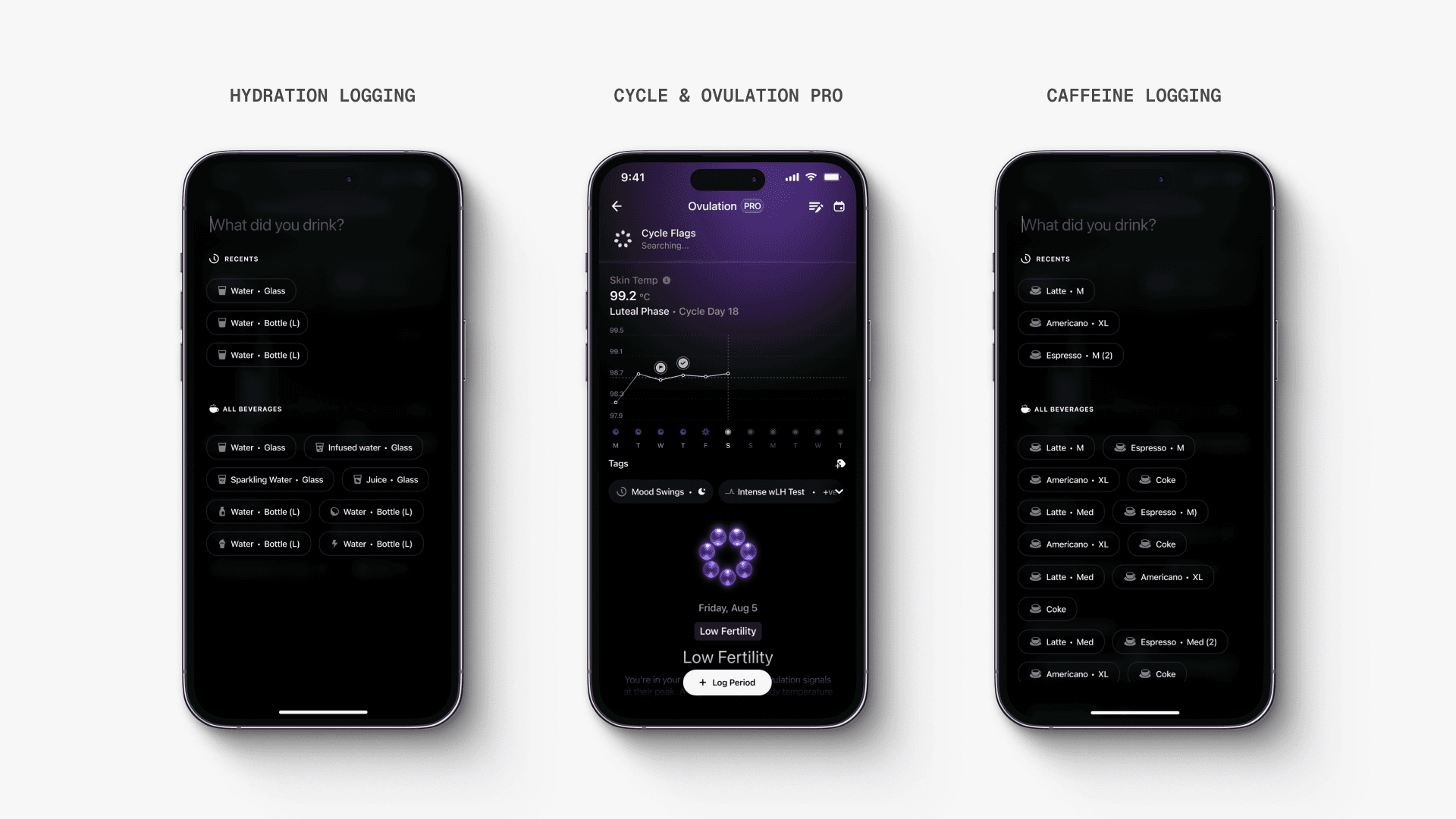
Embedding logging as a core primitive
Smart tags are not a feature layer.
They power multiple systems across the product, including hydration, caffeine tracking, and future insights.
The same tagging infrastructure supports multiple use cases.
Designing for longitudinal insights
The value of tagging compounds over time.
By combining tags with biomarker data, the system enables deeper insights into behaviour and outcomes.
This shifts logging from a task to a learning system.
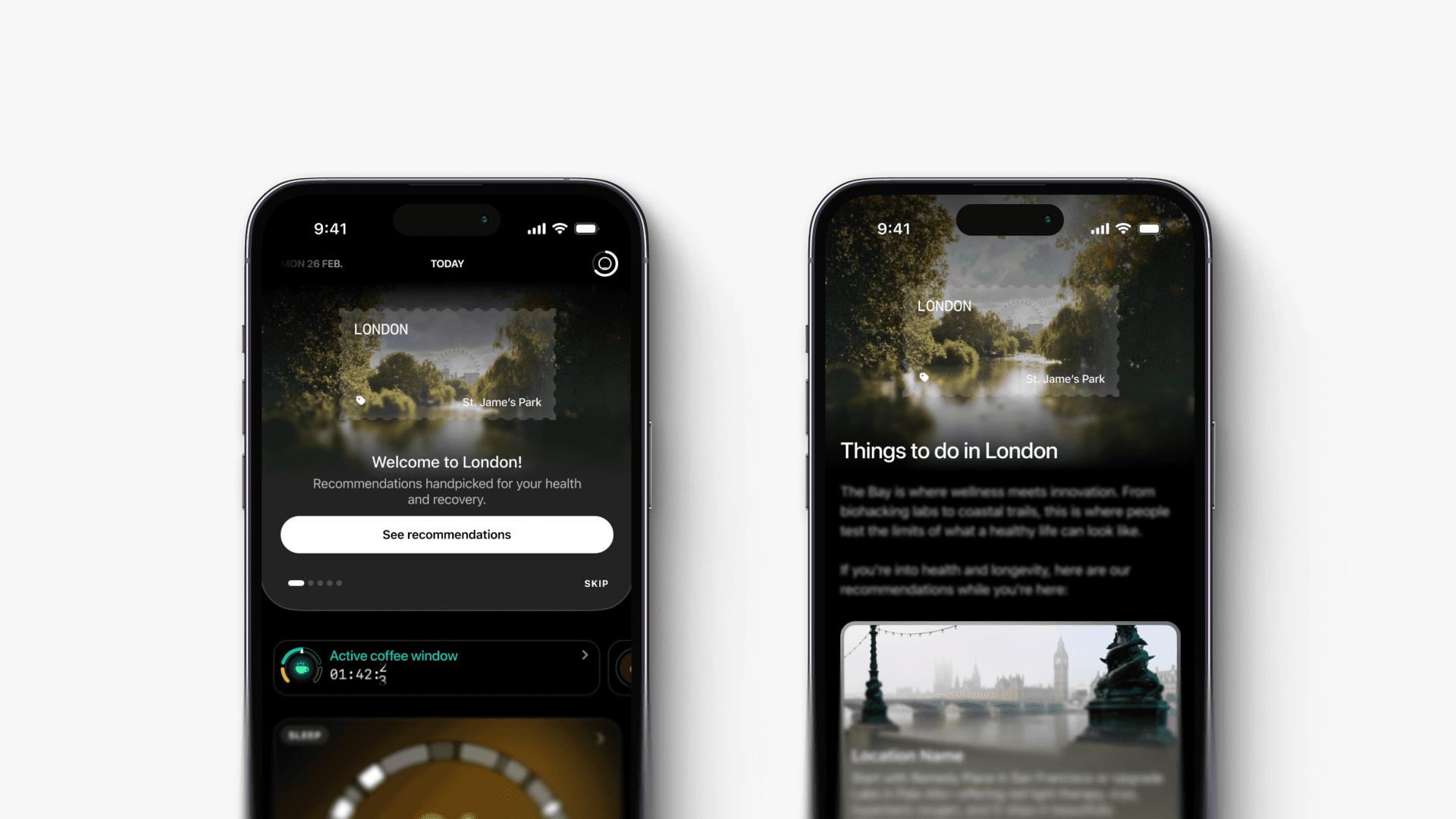
Extending into new detection layers
The system continues to expand.
We introduced additional detection layers, like travel insights, building on the same infrastructure.
This reinforces the system as a foundation, not a one-off feature.
/
conclusion
Smart tags established a foundational layer for behaviour tracking at Ultrahuman.
It shifted the product from passive monitoring to active understanding, without increasing user effort.
By prioritising auto-detection, smart defaults, and contextual logging, the system made behaviour tracking usable in practice, not just in theory.
The same system now powers multiple features across the product and continues to scale into new use cases.
The key decision was to meet users halfway.
Instead of expecting perfect input, the system suggests, adapts, and learns. This makes logging faster, more consistent, and far more valuable over time.